
Vanden
-
Posts
3645 -
Joined
-
Last visited
-
Days Won
11
Content Type
Profiles
Forums
Events
Store
Articles
Patch Notes
Everything posted by Vanden
-

page 3 [FOCUSED FEEDBACK] Super Strength Adjustments
Vanden replied to The Curator's topic in [Open Beta] Focused Feedback
Have you tested either of these characters with the changes? I'm especially curious if UM will actually give you faster clear times. -
page 3 [FOCUSED FEEDBACK] Willpower Adjustments
Vanden replied to The Curator's topic in [Open Beta] Focused Feedback
Regarding the T9 rollback: I will go to bat for the Strength of Will changes. They take a power whose only real benefit was a tiny extra bit of +Recovery and give it an actual purpose within the set. I absolutely think they should be kept in despite the general rollback of the armor t9 changes. -
page 3 [FOCUSED FEEDBACK] Willpower Adjustments
Vanden replied to The Curator's topic in [Open Beta] Focused Feedback
I think these changes are mostly in a good spot, but they are very disruptive to Stalkers. Other ATs are gaining a click heal, but Stalkers already had a click heal available at level 4. For a Stalker, that click heal now takes 50% longer to recharge, and comes 24 levels later. The new toggle does mostly make up for the loss in survivability from having the heal take 50% longer to charge, but the issue there is it's another toggle to run on the only version of the set that lacks Quick Recovery. I think if Stalker-Willpower-Fast Healing got the same treatment as Stalker-Regeneration-Fast Healing, and a +Recovery buff was added to the passive, it'd be pretty much fine. I still won't be a fan of the disruption to existing builds, but that's a scrape that'll heal with time, I guess. I still don't really like the auto-rez effect of Resurgence. With the buffs it gives, I'd really appreciate being able to observe and activate the rez manually at the most opportune moment. Can it be changed to instantly recharge Resurgence if you die within a certain time-frame of using it while alive? If not, then I'll be sad, but I'll live. From my testing, the +Stealth added to self-rezzes does appear to be working as intended, so that's good. -
page 3 [OPEN BETA] Patch Notes for December 5th, 2025
Vanden replied to The Curator's topic in [Open Beta] Patch Notes
These changes aren't going live in 4 weeks. Some time in February or even March is what you should expect for this patch. -
These numbers are wrong. The formula for enhancement values in multi-aspect IOs, where x is the number of aspects, is (0.75 + 0.25 * x)/x. With this formula, we get: 1 aspect: 1/1, or 100% strength 2 aspects: 1.25/2, or 62.5% strength 3 aspects: 1.5/3, or 50% strength 4 aspects: 1.75/4, or 43.75% strength
-
Some weird invisible collision geometry in Nerva Archipelago. [2007.1 177.6 6940.7] I made it visible by dropping Ice Patches around it.

-
Whenever I spot a Winter Lord looking lonely, I broadcast its /loc on LFG. When people ask what zone it’s in, I just repeat that it’s a Winter Lord, or its /loc. This keeps me entertained for hours
-
Ski Chalet operating hours and maybe more
Vanden replied to Display Name's topic in General Discussion
-
-
Not just the 4-star modes, hard mode in its entirety is essentially non-canon for all those TFs.
-
See, this is what we call a Bug and should be Reported as such
- 30 replies
-
- 11
-

-

-
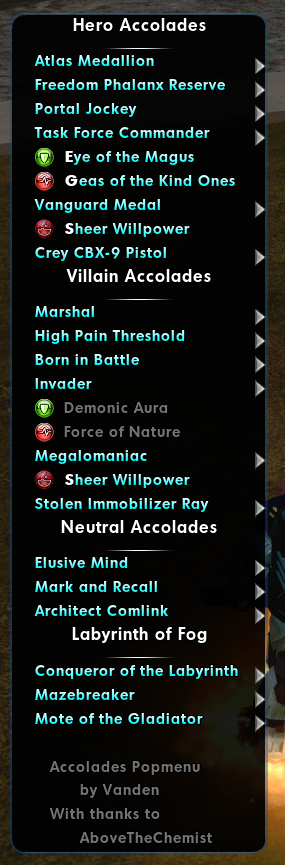
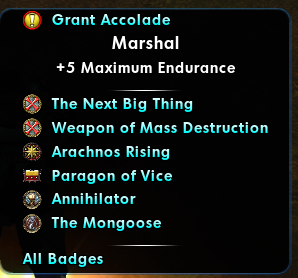
Update: The menu can now be used to activate accolades as well as track their unlock progress, and on Beta shards there will be entries to immediately grant the accolades to the current character.
-
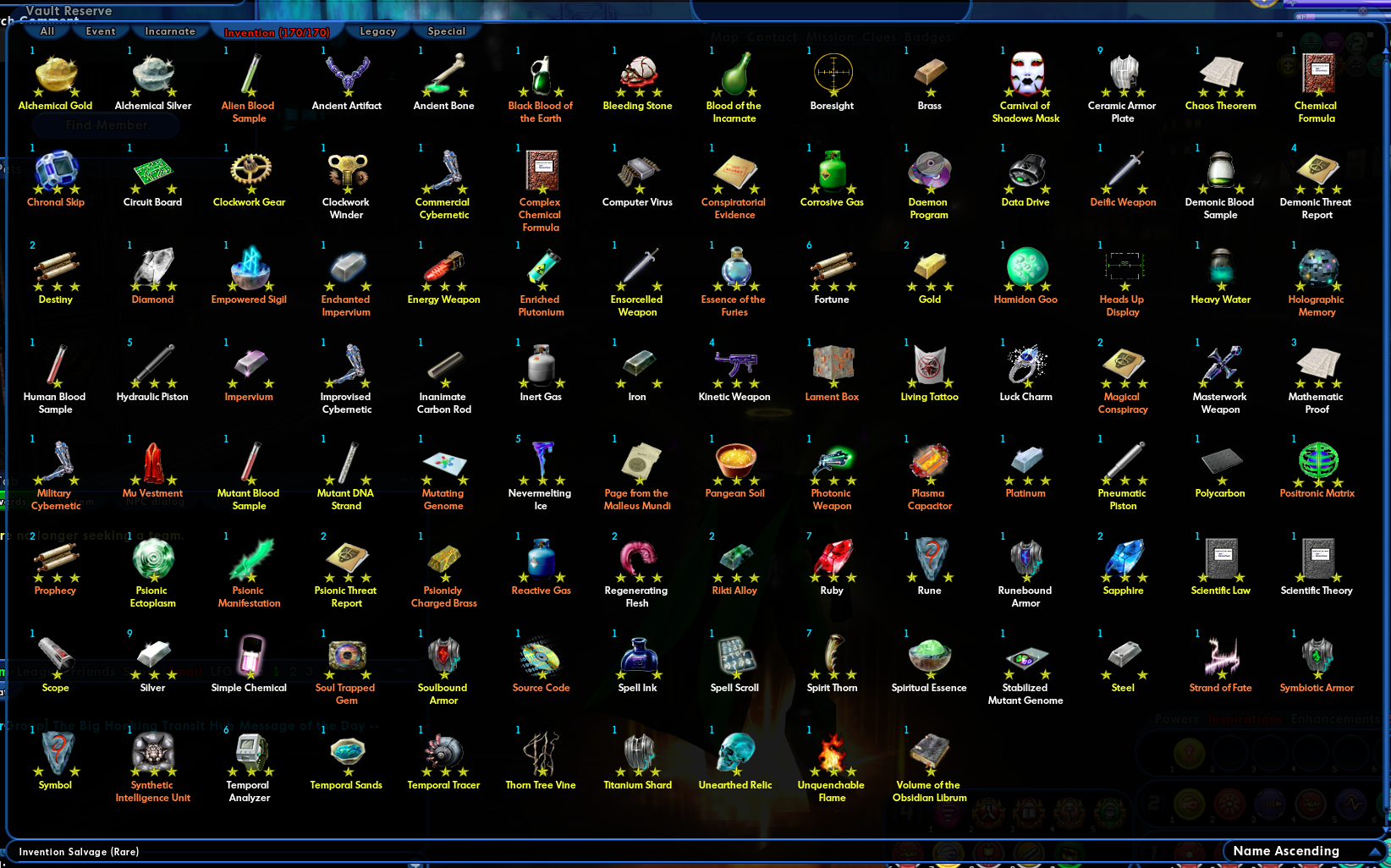
If you're like me, you're probably sick of having to cross reference the Invention Salvage Tiers page on the wiki to help you organize your invention salvage. To help with that, I've created a mod that clearly marks each piece of Invention Salvage's tier with a number of stars to indicate which level range it belongs to. Low-level salvage is marked with 1 star, mid-level salvage is marked with 2 stars, and high-level salvage is marked with 3 stars. To install this mod, simply extract the attached .zip file into your CoH Homecoming install folder. The required folders are already included in the archive. It is also available through the CoH Modder tool created by @Michiyo. https://cityofheroes.dev/mods/modView/303 InventionSalvageTierIcons.zip
-
Dynamic Costume Powers and Vanity Pets Popmenu
Vanden posted a topic in Tools, Utilities & Downloads
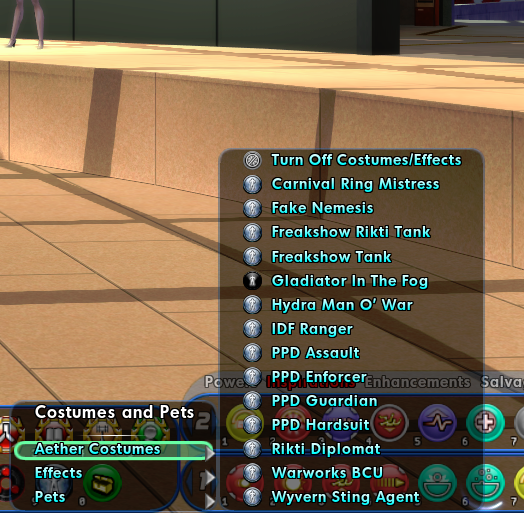
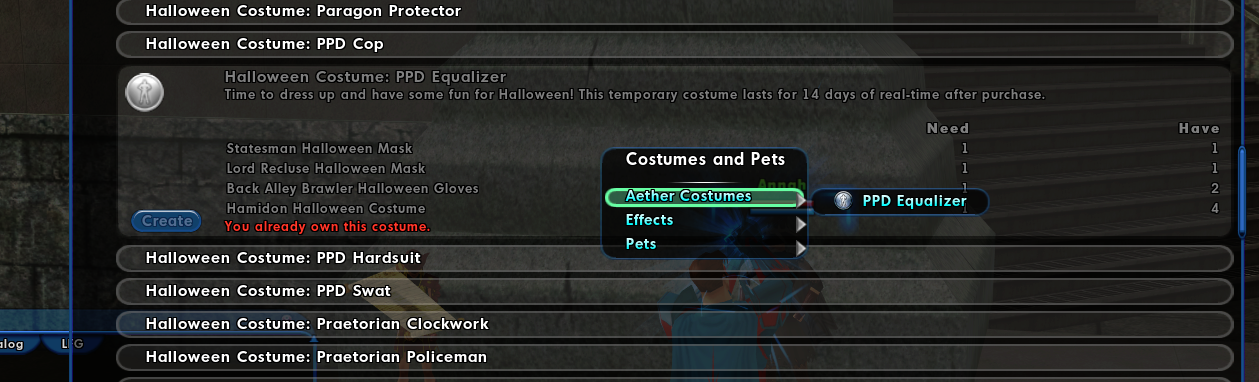
If you've purchased the Hologram Matrix accolade for the costumes menu it comes with (or just used /popmenu MetaCostume to see it for free), you might know that it's not the best for casual costume aficionados. With every entry behind 2 or 3 submenus, it can be tedious to find the powers you actually own using it. To solve this, I've made a popmenu that only shows the costumes and vanity pets you own. For those of us who only grab a few costume powers, but don't want to dedicate a ton of tray space to them, this is a big help. And a feature that this popmenu has that the Hologram Matrix lacks entirely is that the Trick-or-Treat versions of every aether costume that has one is included in the list. The popmenu can be used with "popmenu DynamicCostumes". For a quick macro, try "/macro_image Ultra_Costume_Power Cos popmenu DynamicCostumes". You can find the popmenu attached to this post. To install it, download costumeMenu.mnu, navigate to your City of Heroes: Homecoming install location, then go through the following folders: "data > texts > English > Menus", and place costumeMenu.mnu in the Menus folder. If any of those folders don't exist, simply create them as you go. The mod is also available through the CoH Modder tool created by @Michiyo: https://cityofheroes.dev/mods/modView/302 costumeMenu.mnu
-
- 3
-
-
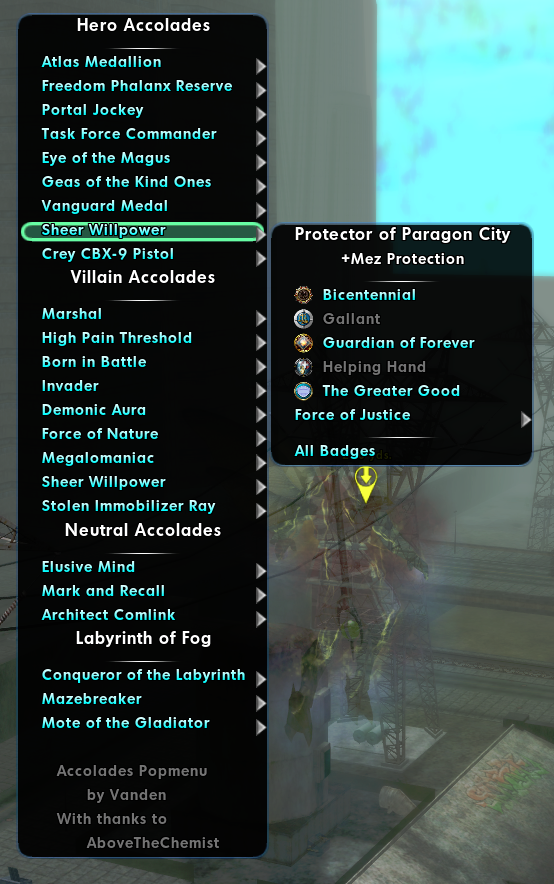
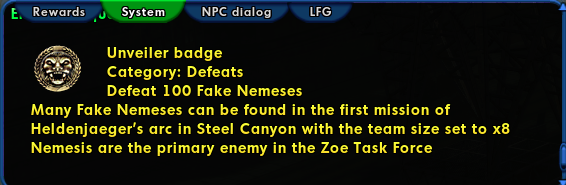
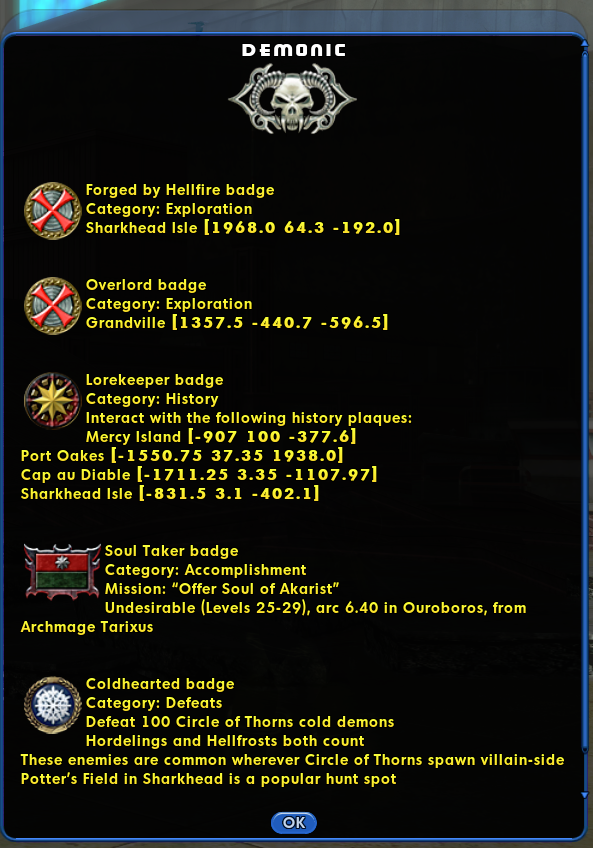
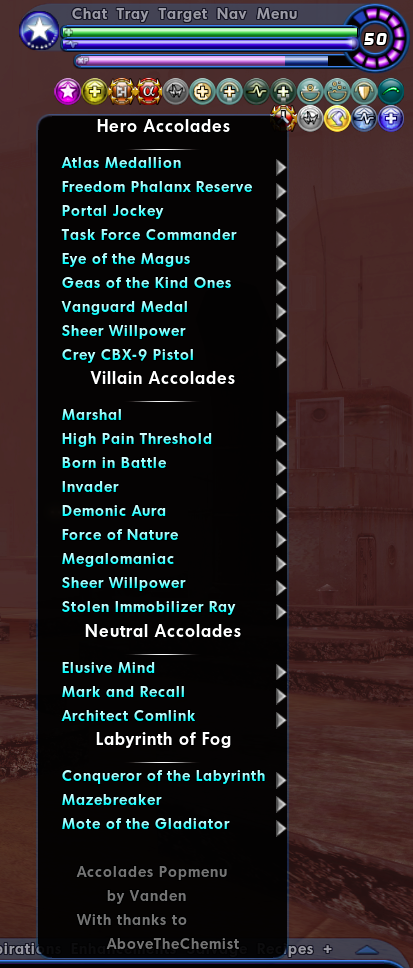
I've put together a popmenu to help with the common task of accolade hunting. It's a full list of power-granting accolades, with submenus for every badge required to earn the accolades. Why use this popmenu over other, more complete badge popmenus? Unlike other, similar popmenus, this popmenu disables badge entries as you unlock badges, meaning a locked entry shows that you already have the badge. When you don't have the badge, each entry can be clicked and a message will print on the System chat channel telling you how to earn the badge. As you unlock accolades, the menu entries will change to options that allow you to activate the accolade powers. (Naturally, clicking on the entries for passive accolades will do nothing.) This also allows you to see at a glance which accolades your character owns, since the entries to use the powers will have the power icons. Within each category, there is also an "All Badges" option, which opens a window describing how to earn every badge all at once. If you want to see the requirements for accolades after unlocking them, there is a static version of the menu included, which will always show the requirements. Lastly, if you should find yourself testing upcoming content on a Beta shard, an option to unlock the accolades directly will appear in each submenu. To use the dynamic popmenu, use the command "/popmenu AccoladesDynamic". To use the static version, the command is "/popmenu AccoladesStatic". Personally, I bound the popmenu to the ] key: "/bind ] popmenu AccoladesDynamic". You can find the popmenu attached to this post. To install it, download Accolades.mnu, navigate to your City of Heroes: Homecoming install location, then go through the following folders: "data > texts > English > Menus", and place Accolades.mnu in the Menus folder. If any of those folders don't exist, simply create them as you go. The mod is also available through the CoH Modder tool created by @Michiyo: https://cityofheroes.dev/mods/modView/301 Accolades.mnu
-
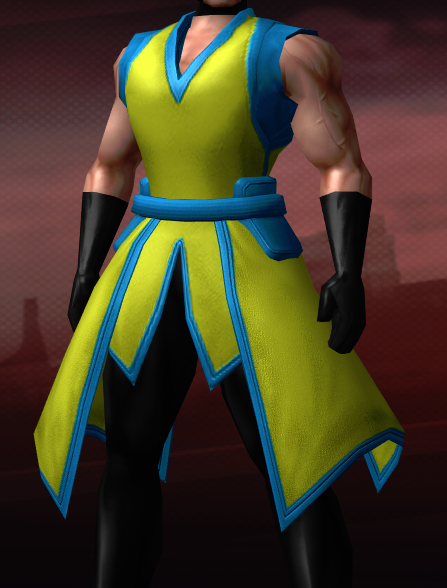
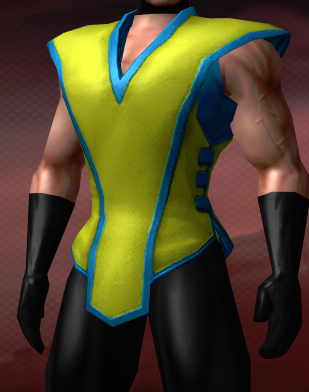
https://cityofheroes.dev/mods/modView/300 This mods adds a colorable trim to the Warrior Robe, Warrior Belt (Basic), and Terra Robe costume options.
-
- 1
-
-
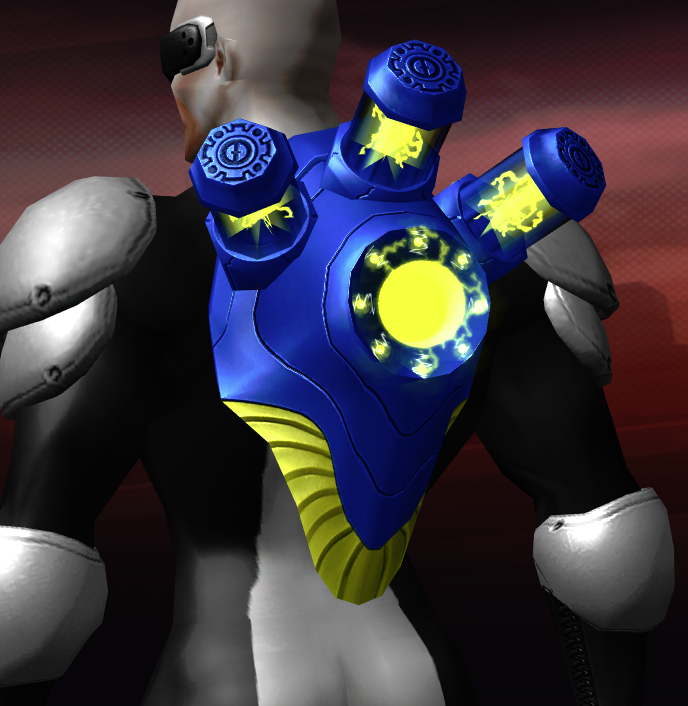
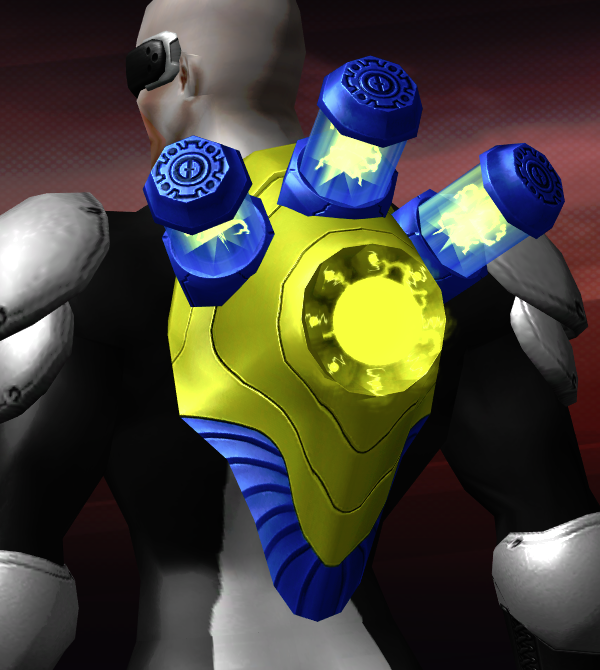
https://cityofheroes.dev/mods/mod/299 This mod partially swaps the colors on the color mask for the Tech Knight Reactor backpack pieces to achieve a better color balance. Before: After:
-
What is the significance of the "Slap" action?
Vanden replied to Palehood's topic in General Discussion
-
Every Single Character of Mine has This Same Problem.
Vanden replied to dtjunkie's topic in General Discussion
Just get Invader instead, much faster. -
I already hate fighting Nemesis and avoid it wherever I can, so I voted "yes" because I doubt it could make fighting them even worse
-
Don't you need to beat the Minotaur to get access to the contact, though?
-
No aether wave?
-
Remove the new Force Field VFX with the noparticles command
Vanden replied to ShardWarrior's topic in Suggestions & Feedback
Force Fields can't be disabled by /noparticles because they aren't particles, they're 3D geometry. Same as the icicles from Blizzard and the waves from Whirlpool in the screenshots. -
Player character models are not set up in a way that can support stretching powers in a meaningful or aesthetically pleasing way, and that is not likely to ever change.
-
Astral Christy / Empyrean Michael (bring back some capabilities)
Vanden replied to Troo's topic in Suggestions & Feedback
So your suggestion is to... bring it back?